Most of the time when I load the Astrobin frontpage or if I click on a Link to Astrobin, there seems to happen some page forwarding, a blue circle flashes, and Astrobin presents itself as a blank page with only a non-functional header. I have to reload the page, then it works.
Not every time but very often.
I am on a Mac with Safari Browser. Same on my Iphone with installed Astrobin-app.
Does someone else experience this?
📷 Bildschirmfoto 2026-06-28 um 21.41.24.png
Astrobin not loading properly on MacOS and iOS occasionally


I’m seeing that a lot also. Reloading the page fixes it.
Well written
Tony Gondola · Jun 28, 2026 at 07:55 PM
I’m seeing that a lot also. Reloading the page fixes it.
Thank you, now I know I am not the only one. Reloading does the job, right. But this is annoying.
Respectful Supportive

Yep, same here, on Tahoe, Apple Silicon. Reloading fixes it, but it’s annoying.

Yes, I see that as well. I’m also seeing a bug when I upload a new revision to an image. It appears not to be uploaded and then it appears as an overlay to the previous version with the plate solves completely displaced. Here’s a screenshot:
📷 Screenshot 2026-06-28 at 4.37.01 PM.png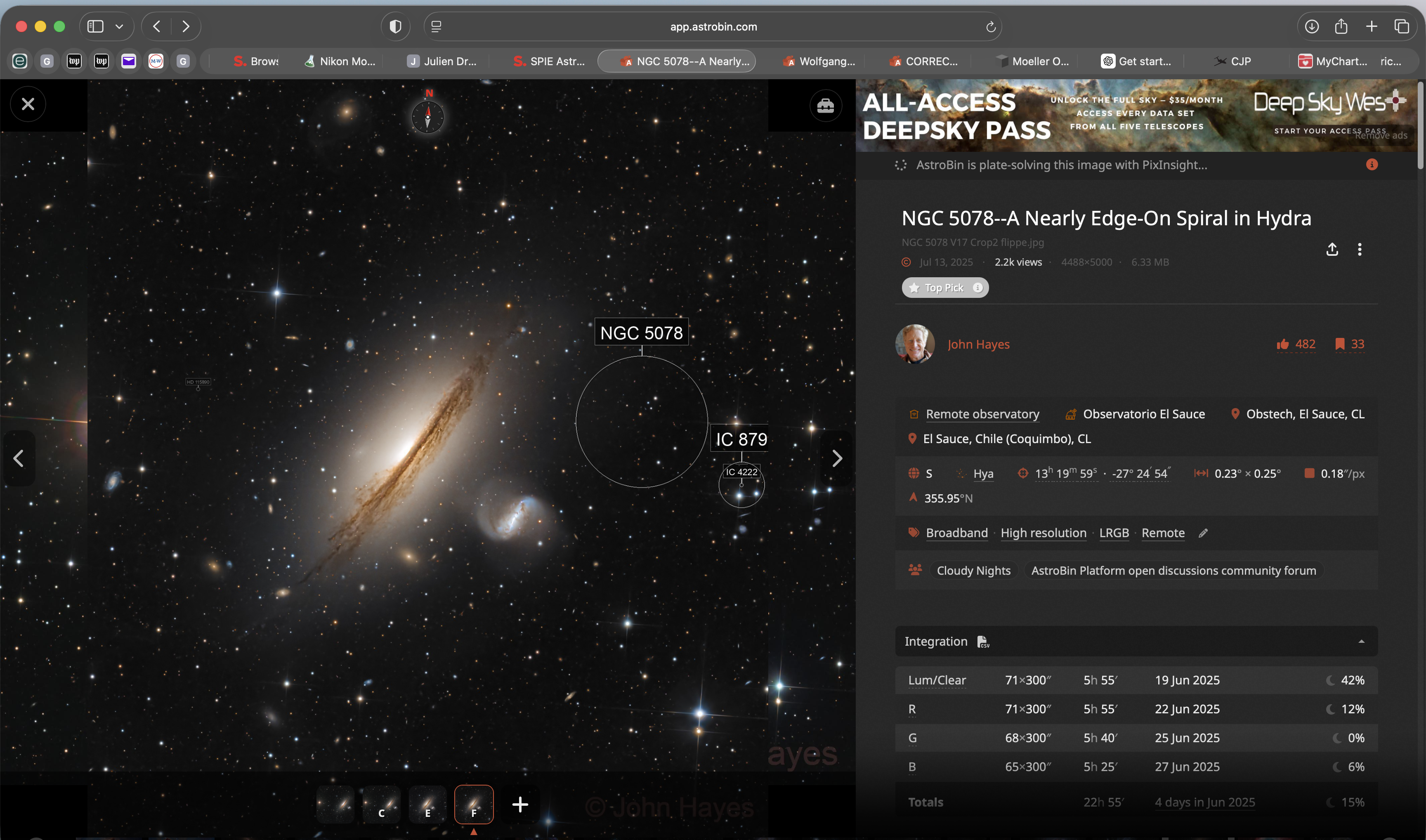 When I click on the image it gives a distorted view of the original image and everything is screwed up.
📷 Screenshot 2026-06-28 at 4.40.45 PM.png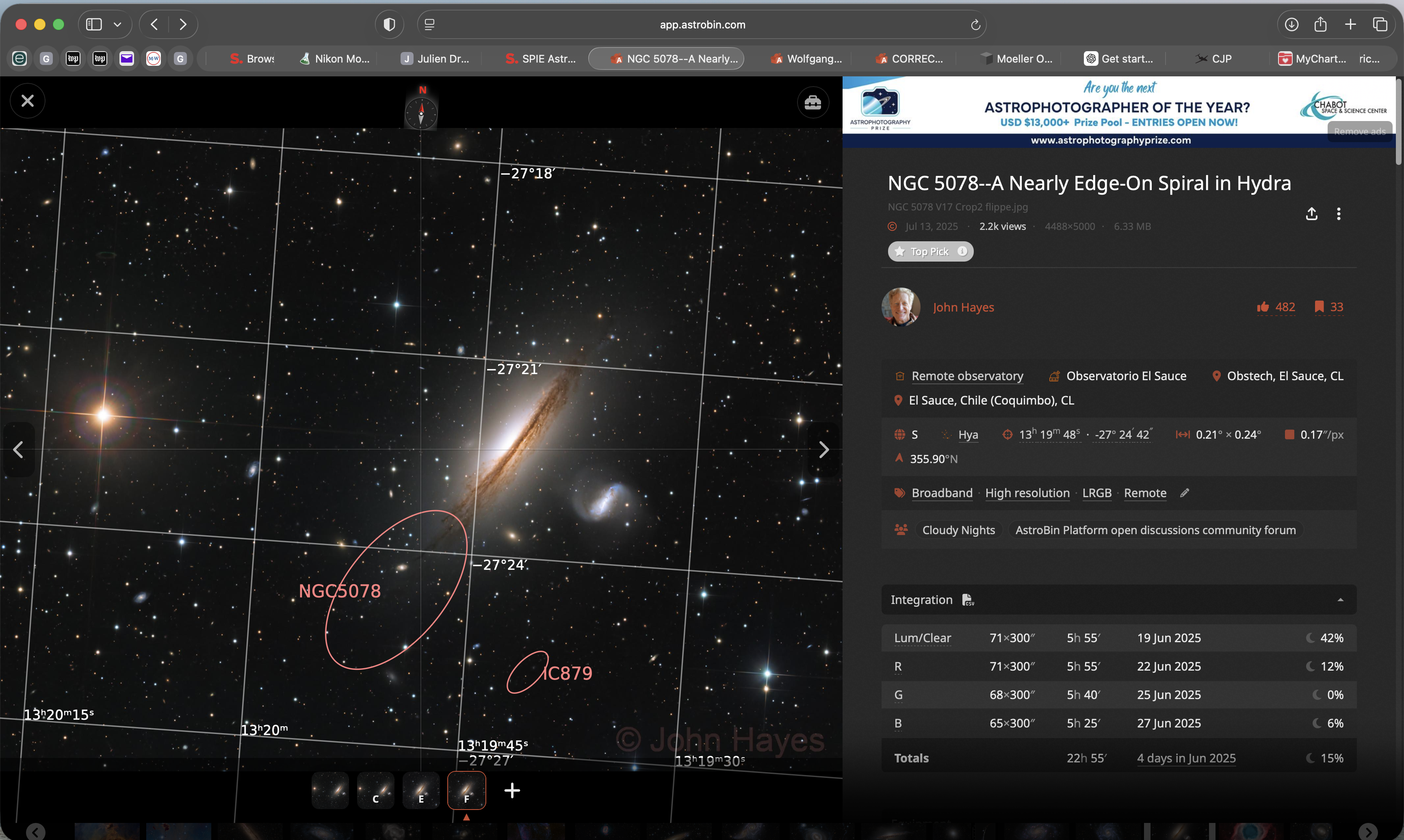 I have to load the image twice and then erase things that aren’t working to get things back on track. I’ve never seen this behavior before.
John

Same, on IOS
While we're on the subject of listing various bugs here:
When I select the group membership for an image's content, only the first selected group is saved; afterwards, I have to edit the project and select the groups again for them to be saved.
Well written