Has MLDENOISE been released for Windows yet? I’m running 1.9.4 build 1695.
MLdenoise


Well written

https://pixinsight.net/dev/index.php?articles/pixinsight-1-9-5-lockhart-released.21/
Got it, thanks Jure!

Tony Gondola · Sep 18, 2026, 08:17 PM
Has MLDENOISE been released for Windows yet? I’m running 1.9.4 build 1695.
Update the PI , download the MLDenoise fromnthe oficial PI site, apply check updates. After download just copy the MLDenoise in PI instalation folder.
BUT !!! RC astro is not working any more for me.
Tony Gondola · Sep 18, 2026, 08:17 PM
Has MLDENOISE been released for Windows yet? I’m running 1.9.4 build
Update PI from oficial PI site, after, download MLDenoise file, copy it to PI instalation.
Clcik check updates.
BUUUUT……., rcAstro is not working any more for me. Be careful .
Just tried it now. RC Astro left vs DenoiseML right.
Creates show stopper artifacts on background…but can be better on brighter areas if it’s not hallucination….
📷 Denoise NoiseX vs Pixinsight DenoiseML.png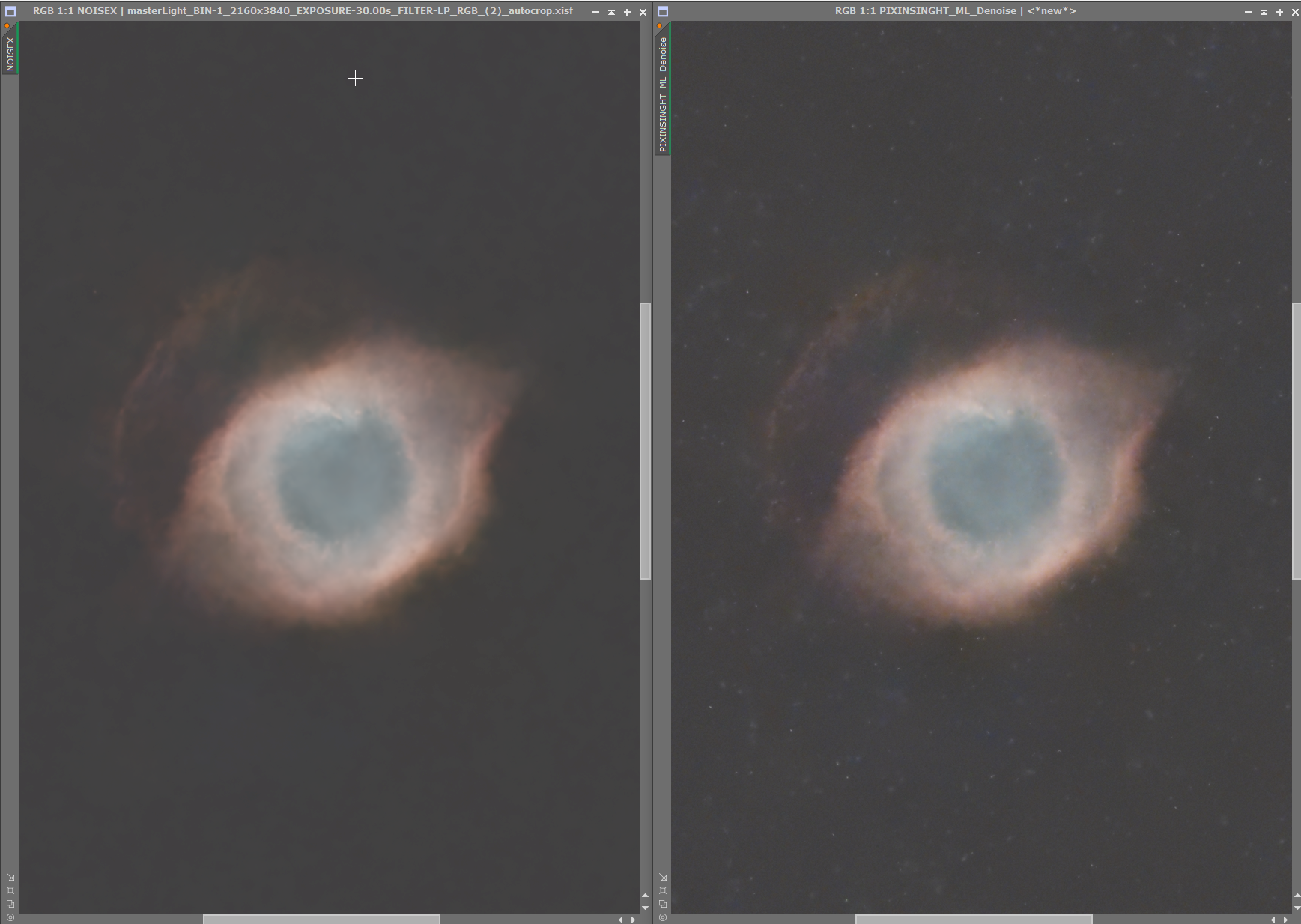
📷 Denoise NoiseX vs Pixinsight DenoiseML Zoom.png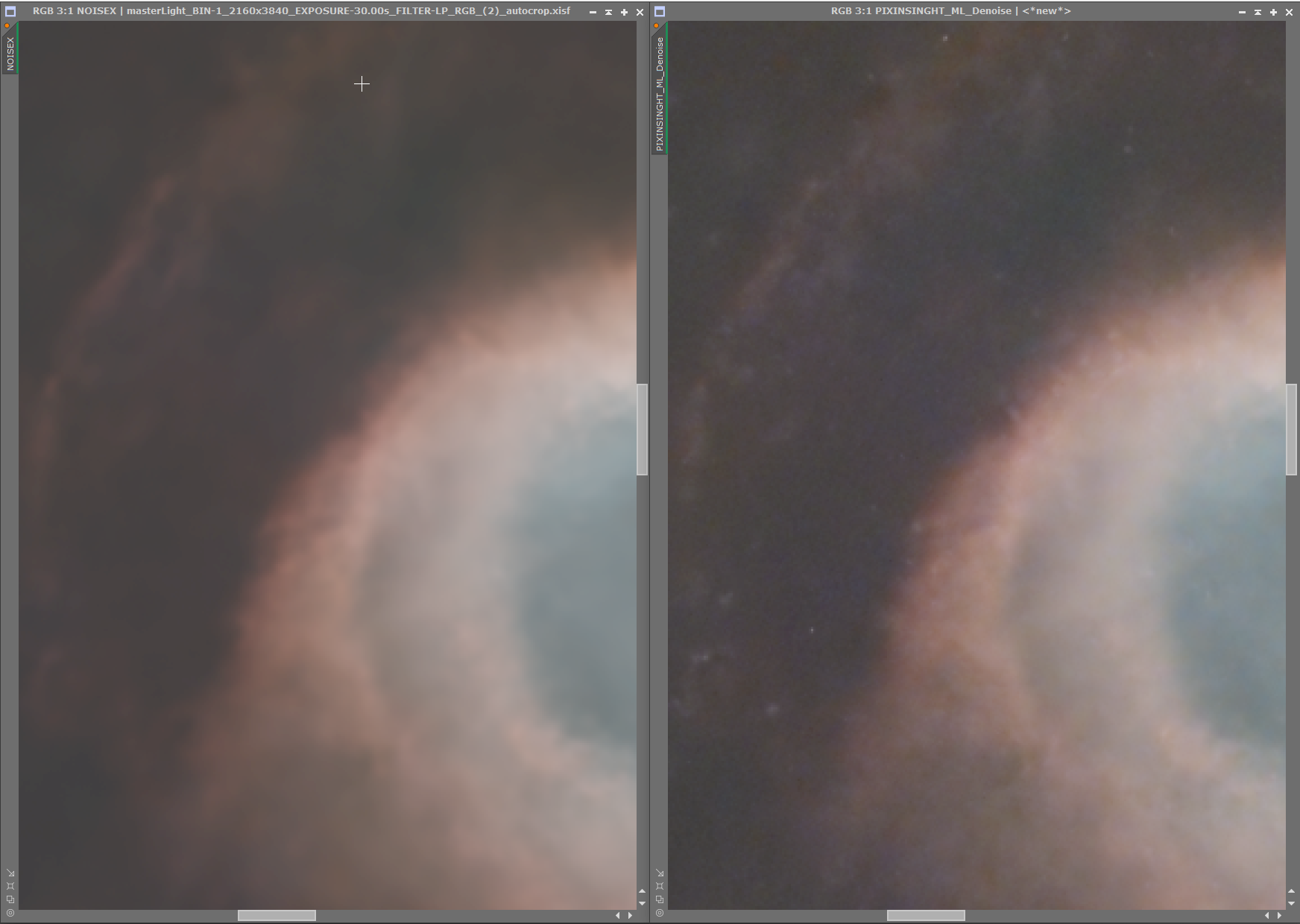

Condurachi Costi · Sep 18, 2026, 08:49 PM
Tony Gondola · Sep 18, 2026, 08:17 PM
Has MLDENOISE been released for Windows yet? I’m running 1.9.4 build 1695.
Update the PI , download the MLDenoise fromnthe oficial PI site, apply check updates. After download just copy the MLDenoise in PI instalation folder.
BUT !!! RC astro is not working any more for me.
Did it kill the RC Astro tools? BXT,NXT,SXT ?? Or is it just the update to 1.9.5 that caused it?

WOW! Thanks for posting these images.
Freddy Meiresonne · Sep 18, 2026, 09:31 PM
Condurachi Costi · Sep 18, 2026, 08:49 PM
Tony Gondola · Sep 18, 2026, 08:17 PM
Has MLDENOISE been released for Windows yet? I’m running 1.9.4 build 1695.
Update the PI , download the MLDenoise fromnthe oficial PI site, apply check updates. After download just copy the MLDenoise in PI instalation folder.
BUT !!! RC astro is not working any more for me.
Did it kill the RC Astro tools? BXT,NXT,SXT ?? Or is it just the update to 1.9.5 that caused it?
No
Just tried it now. RC Astro left vs DenoiseML right.
Creates show stopper artifacts on background…but can be better on brighter areas if it’s not hallucination….
📷 Denoise NoiseX vs Pixinsight DenoiseML.png
📷 Denoise NoiseX vs Pixinsight DenoiseML Zoom.png
The question is, what’s the ground truth so to speak. Are they artifacts or closer to the truth? M57 has tons of fine detail that’s really there.

This was posted on Facebook by RC Astro yesterday:
“PixInsight 1.9.5 is expected to be released soon. If your PixInsight workflow depends on RC-Astro processes, you may wish to continue using your current version until compatibility with 1.9.5 has been established.
Prerelease versions of PixInsight 1.9.5 and its corresponding PixInsight Class Library (PCL) have not been made available to third-party developers for compatibility testing. Developers have been asked to validate their modules against the official release before enabling installation on PixInsight 1.9.5.
Accordingly, RC-Astro modules may not be immediately available for PixInsight 1.9.5 when it is first released. Once the public release is available, compatibility testing will begin, followed by any changes that may be required.
This is simply a compatibility precaution — no specific incompatibility with RC-Astro processes is currently known.”
He then released this today so it looks like it RC Astro should be working with the new version of PI:
“Mostly good news...
Version 2.6.9 of the RC-Astro unified module (BlurXTerminator, NoiseXTerminator, and StarXTerminator) has been tested and works fine with PixInsight 1.9.5 on macOS, Windows, and Linux. The RC-Astro PixInsight repository has been updated to support PixInsight versions 1.8.9-2 through 1.9.5.
Linux users may appreciate that PixInsight 1.9.5 includes all required CUDA/cuDNN libraries in its installation. Beyond having an updated NVIDIA GPU driver, no additional library installation is required.
Minor bad news:
The cuDNN version (9.25) distributed with PixInsight 1.9.5 does not support older Maxwell, Pascal, and Volta NVIDIA GPUs (GTX 900- and 10-series, Quadro P-series, and similar). Since the RC-Astro tools run from within PixInsight, they are forced to use this cuDNN version and will fall back to using the CPU on systems with these GPUs. Installation of older cuDNN versions at the system level that support these GPUs will have no effect: PixInsight loads its own cuDNN libraries.
The only other potential rub found is that PixInsight's MLDenoise process allocates around 2.5GB of GPU memory and doesn't release it when it has finished processing. For most GPUs this should be a non-issue, but it could potentially lead to GPU memory exhaustion when running any other GPU-accelerated tool after running MLDenoise.”

Just installed 1.9.5 along with the new MLDnoise.
MLDnoise……runs, however RC astro Bx Nx Sx are really slow.
JIM
Jim Collins · Sep 18, 2026, 10:37 PM
Just installed 1.9.5 along with the new MLDnoise.
MLDnoise……runs, however RC astro Bx Nx Sx are really slow.
JIM
I haven’t seen a slowdown after upgrading, I’m on a Windows machine.
I just shut down PI and restarted……….now all RC tools are very fast again! :)
JIM
Respectful Supportive

Just updated - MacBook Pro 16/40 M3, everything working inc RC XT tools.
Speed bump on SyQon scripts too, which is much appreciated
Tony Gondola · Sep 18, 2026 at 10:01 PM
Just tried it now. RC Astro left vs DenoiseML right.
Creates show stopper artifacts on background…but can be better on brighter areas if it’s not hallucination….
📷 Denoise NoiseX vs Pixinsight DenoiseML.png
📷 Denoise NoiseX vs Pixinsight DenoiseML Zoom.png
The question is, what’s the ground truth so to speak. Are they artifacts or closer to the truth? M57 has tons of fine detail that’s really there.
Artifacts.
Sadly, as I would prefer not paying upgrades every now and then to RC Astro.
But they will improve it soon, I’m sure.
Looking forward to their deconvolution and star removal.
I don't know about anyone else, but MLDenoise runs hella slow for me. Something like 1 to 2 seconds per progress percentage. I updated the thread analysis as well, but it's really, really slow. I'm on a Windows machine. Just for reference, everything else runs fine including all RC tools. I ran a 10 hour WBPP process last night with 600 subs. I'm testing it again with the new updates to see if it actually will make a difference.
Well written Respectful Concise Engaging
I think I will leave the upgrade until things have settled down a little bit and seem more consistent. I am quite happy with pi as it is, and I don't want to start messing things up. What do people think about that please… is this a good idea for me to wait for a while? Thank you for the thread and all your contributions… Simon
Respectful

My experience so far is that MLDenoise produces much worse results than NoiseXterminator, it both introduces artifacts and it leaves whole rectangular regions very grainy, almost as if no denoising was done there. See the attached screenshot, MLDenoise on the left, NoiseXterminator on the right. See the central part of the image where MLDenoise did nothing!
On the other side, PixInsight 1.9.5 is generally much faster on MacOS, I noticed substantial improvements in many processes and scripts, including ImageSolver and WBPP (integration time for my last project, 527 light frames, has halved from 32+ minutes to 15 minutes).
📷 Screenshot 2026-09-19 at 09.33.24.png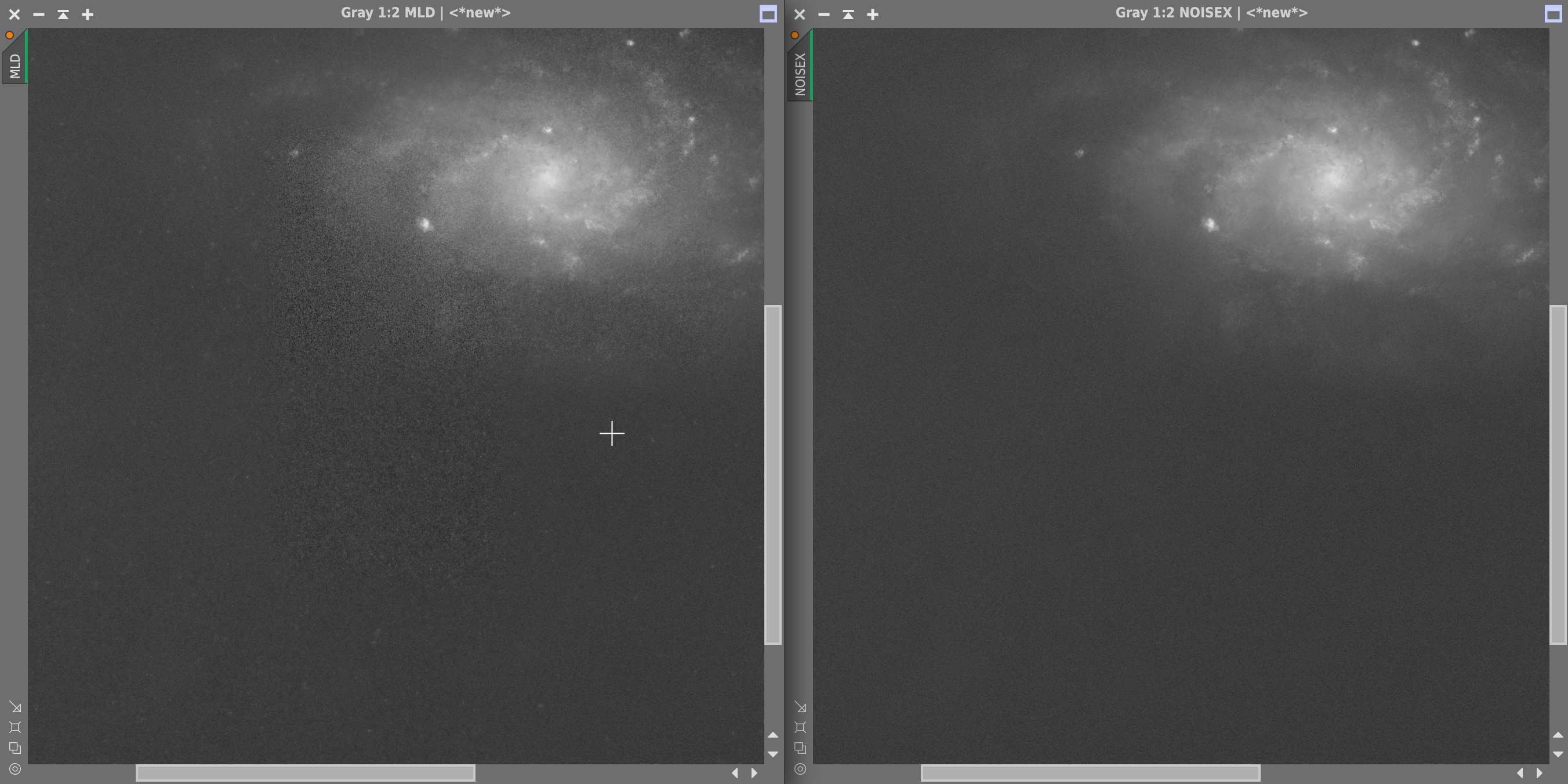
Well written Helpful Concise Engaging
SJK · Sep 18, 2026 at 09:22 PM
Just tried it now. RC Astro left vs DenoiseML right.
Creates show stopper artifacts on background…but can be better on brighter areas if it’s not hallucination….
📷 Denoise NoiseX vs Pixinsight DenoiseML.png
📷 Denoise NoiseX vs Pixinsight DenoiseML Zoom.png
Unless, like their videos says, it’s so good that it reveals actual structures out of noise ??
https://youtu.be/IrnBcw-G7uQ?is=t7YUn0AQykujTP31
Sounds to good to be true in my use case above with my smartscope in super light polluted sky, but I do want to believe…
Ok, did some additional tests. Apparently you should not apply MLDenoise on starless images, as it will try to recover bits of stars from the faint remaining nebulosity. Although when you rescreen the stars they might be at the same position.
However I have better control on my chrominance with RCAstro.
📷 MLDenoise vs NoiseX Chrominance.png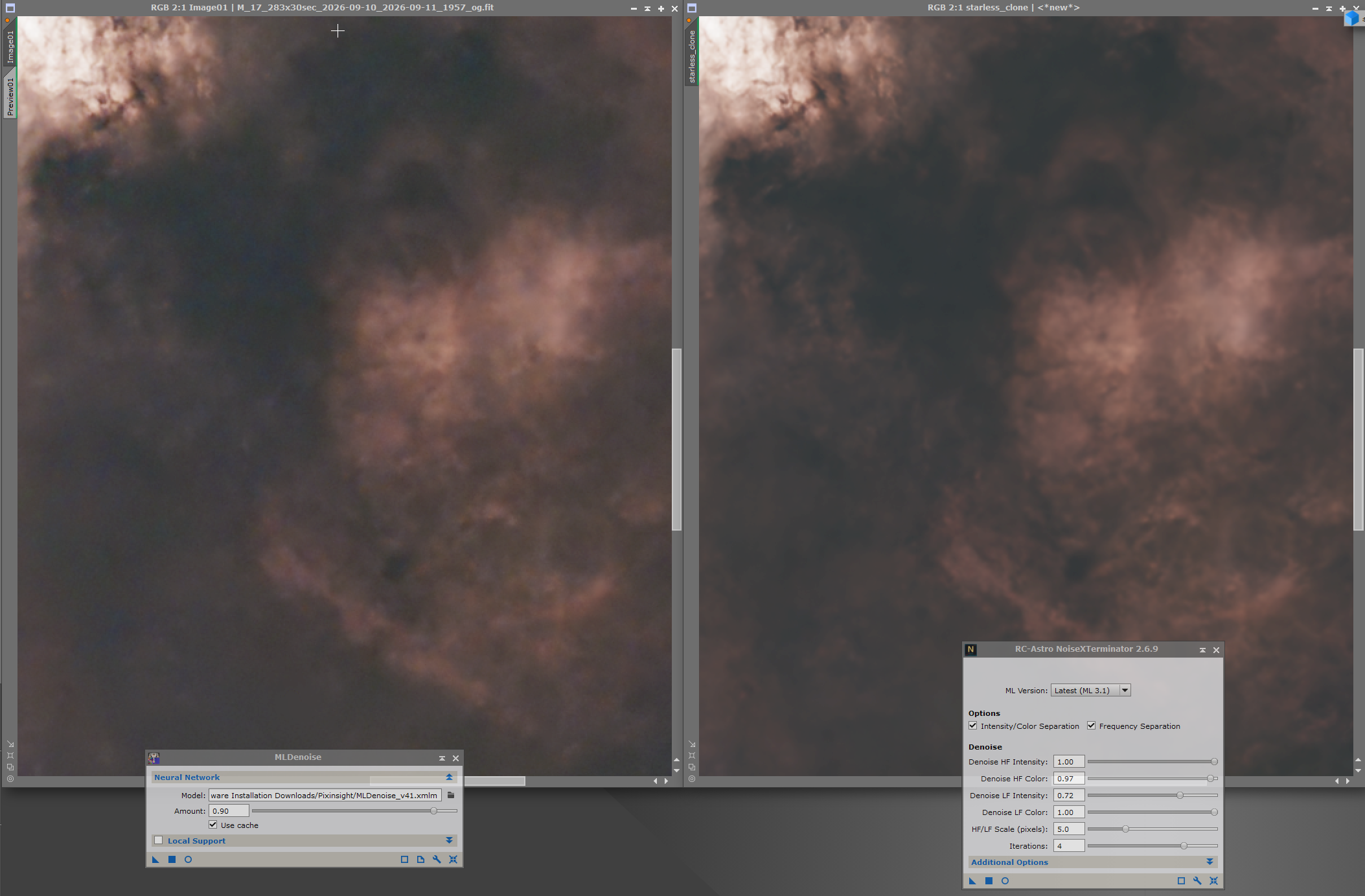
📷 MLDenoise vs NoiseX Chrominance on Starless.png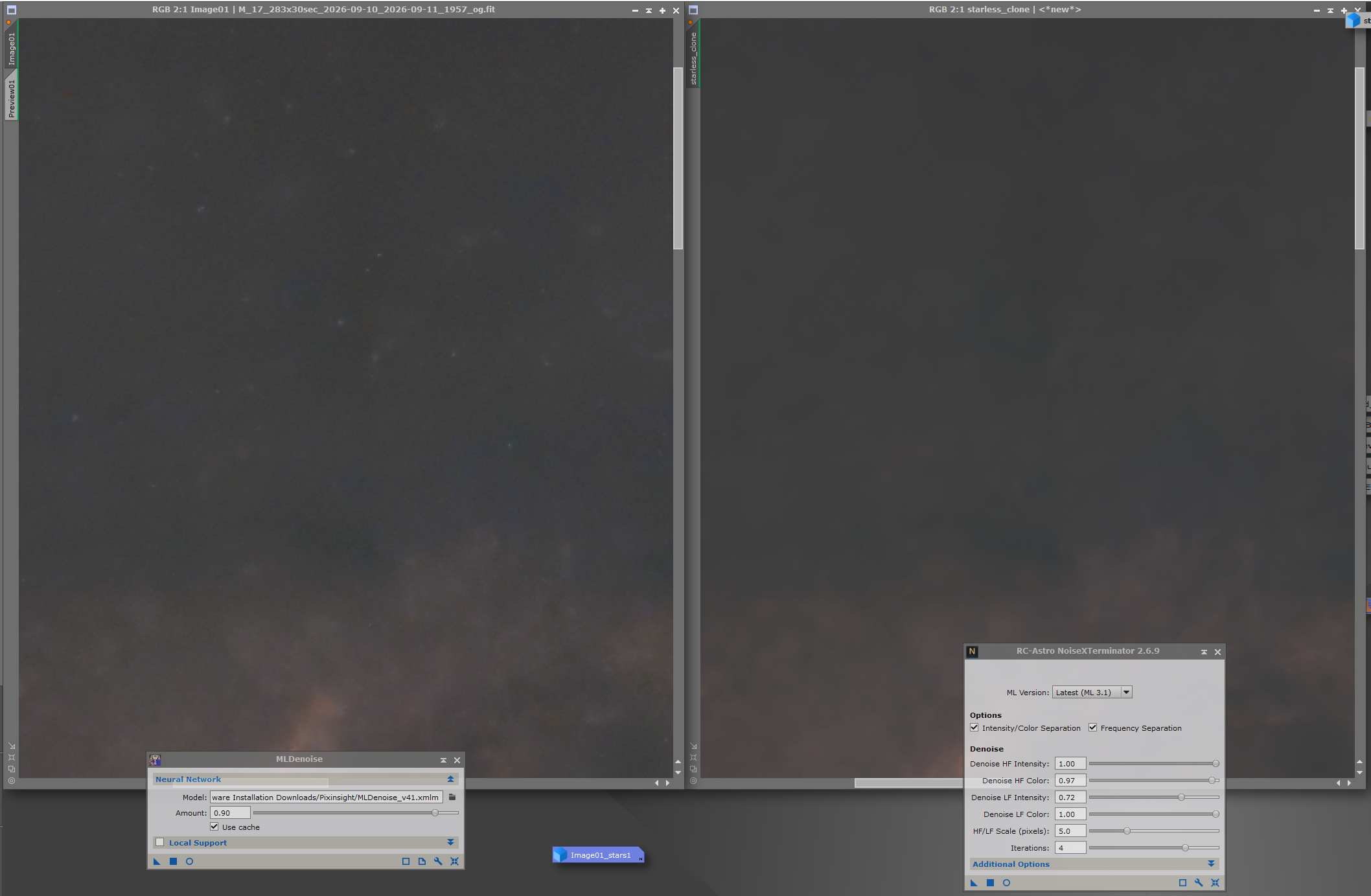
Here doing the MLD first and THEN removing the stars…
📷 MLDenoise vs NoiseX Chrominance with Stars.png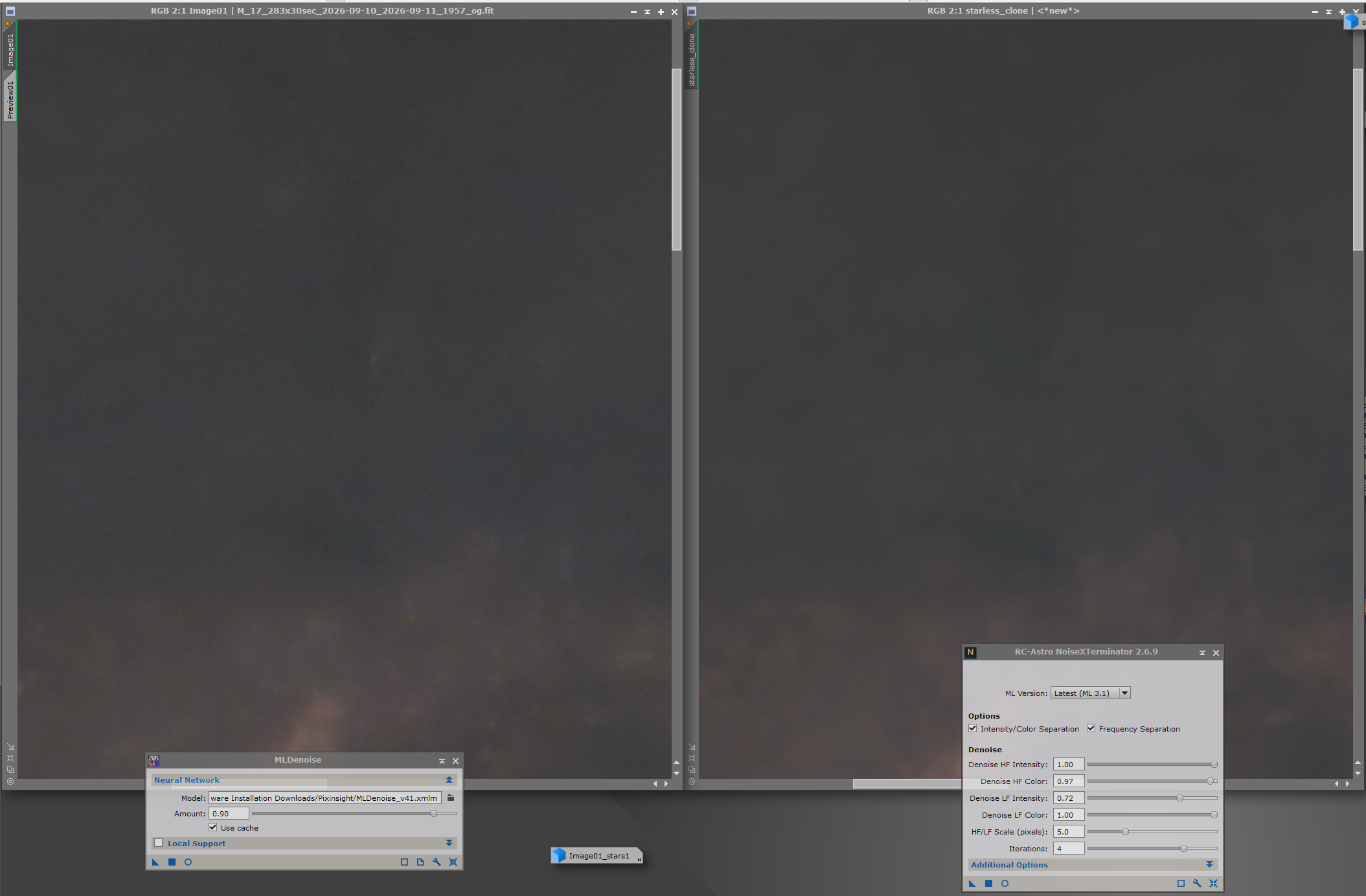
And to both with stars on
📷 MLDenoise vs NoiseX Chrominance Both with stars on.png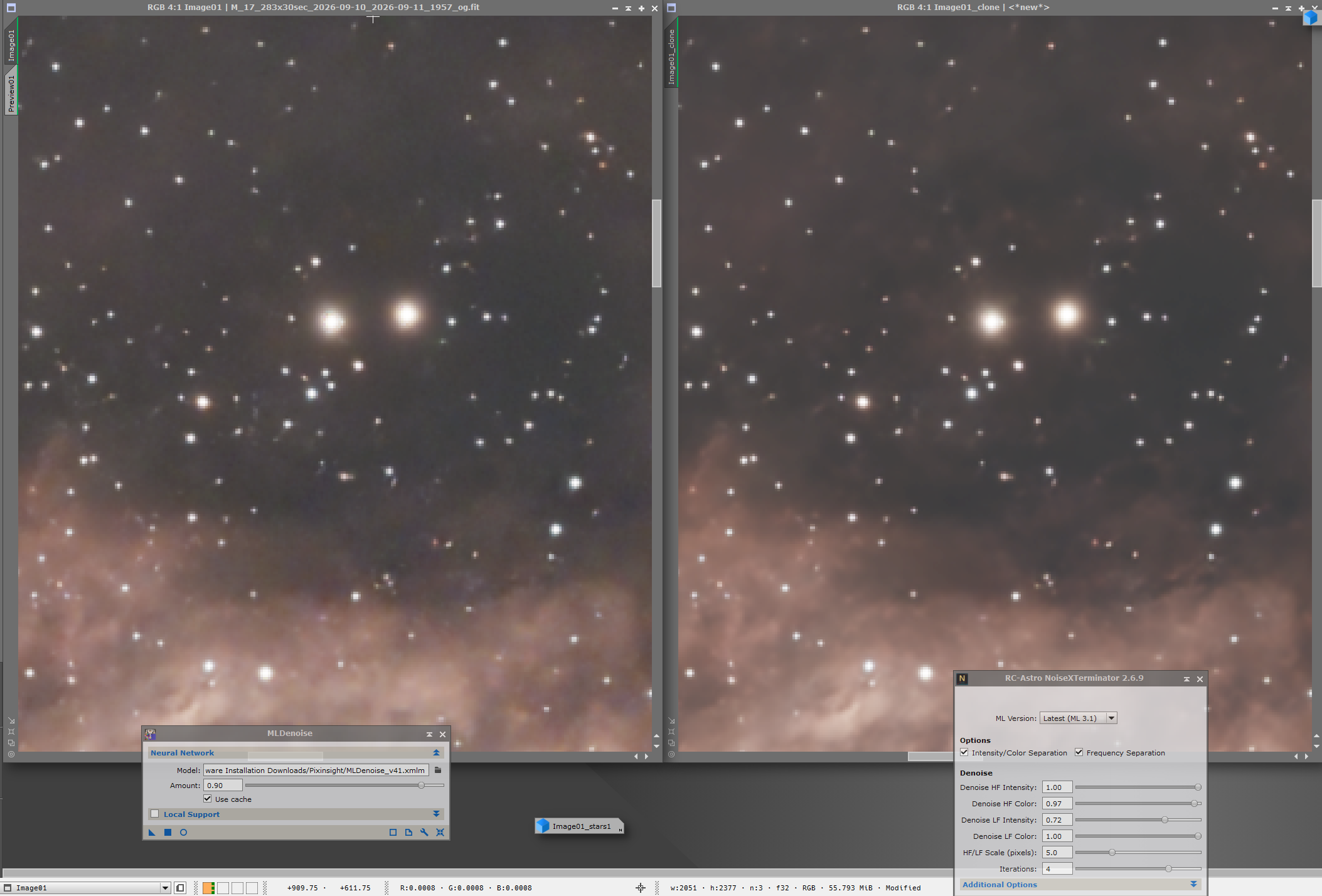
Maybe they should train their model with crappier images like mine 😅
Helpful Engaging

similar (first) experiences with MLDenoise. It general it seems (after playing with a few, galaxy images) to be better in keeping faint structures (which at a similar denoise level are ironed out by NXT), however whole patches are left over with no (or substantially less) denoise. I also miss the chrominance denoising option of NXT.
I went ahead and ran a WBPP process to see if it was faster than what I was getting pre upgrade, and yes! I was genuinely surprised at the increase in speed. I ran this exact data set last night before doing any updates. I don’t have a screen cap of the finish screen, but it took over 10 hours last night. I ran the same exact dataset and it completed in about 3 ½ hours. That’s significant! Now if I can just figure out why MLDenoise runs so slow, that would be great. 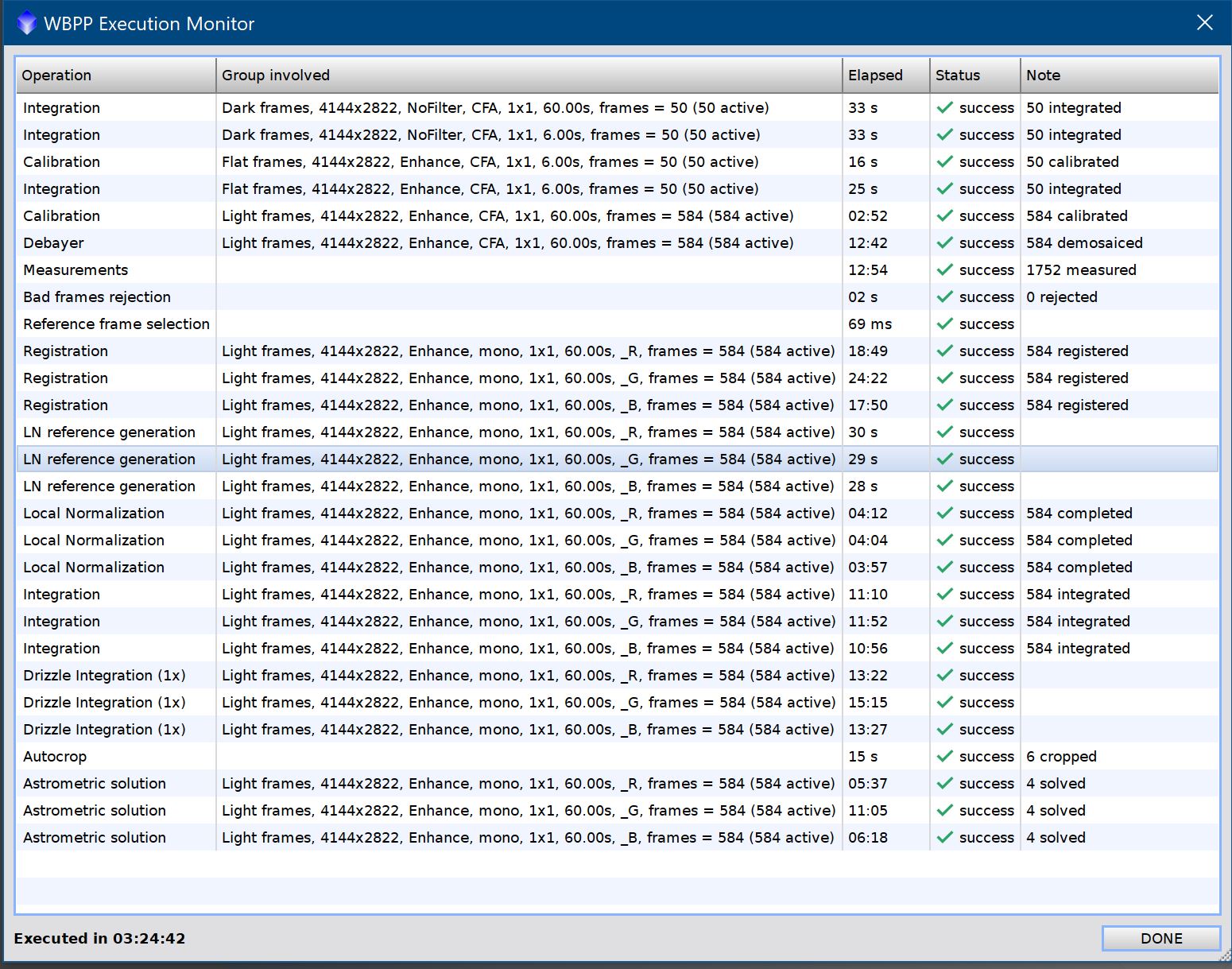
Well written Respectful Concise Engaging
Good to know, and many thanks to you and all those contributing herein. Simon
Well written Respectful

Simon · Sep 19, 2026, 07:07 AM
I think I will leave the upgrade until things have settled down a little bit and seem more consistent. I am quite happy with pi as it is, and I don't want to start messing things up. What do people think about that please… is this a good idea for me to wait for a while? Thank you for the thread and all your contributions… Simon
I agree completely. Instead of getting excited for these upgrades, I tend to cringe. I have a hard time getting VeraLux and a couple of other add-ons back and usually have to go through extra steps to put RC Astro back in. If, in this case, there are problems with RC Astro Xterminator tools, I’m waiting for sure. I’ll give it a couple months, or maybe longer.